Facebook Fans Box is very useful widget to show visitor and love of the people for your blog.Facebook offers a simple clean like box plugin that you can easily add to your blogger blog or other websites but the default Facebook like box or Fans box than looking not good at ugly. So Today i am going to show How to add multi Themes of Custom Facebook Like using CSS in your blogger blog.
Also Read:-
Create Sitemap Page with Thumbnails in Blogger
Facebook Like Box is the best way to increase your social Media Traffic and get more fans for your Blog.A Like Box allows great attract your blogger blog more visitors/readers to like your Facebook Fan Page from Using this Customized Facebook Like Box. You don't need to do anything just copy your favorite style like box code and paste your blogger blog.
In Some Cases you can add old facebook Widget with another Effects, Colors, Design Such as:-
But this widget are Fully Optimized and Customized by me This widget is fully work on CSS you are already know to CSS so, I don't need to understand about CSS .
How To Add 15+ Styles Facebook Like Box foe Blogger:-
- Go To Blogger Dashboard>>Layout>>Add Gadget
- After Click on Add Gadget Link.A popup Window will open now with many gadget list in your monitor Screen.
- You Select the HTML/JavaScript Gadget click on Plus sign for this Gadget
- Now Copy the Following given blow codes is represent to their like box style you can choose only any one of them.
- After choosing your favorite like box then paste its HTML Code in Gadget.
- Replace softwayrko with your Facebook Page Username.
Now, Select Your Favorite Like Box for blogger blog:-
Style 1:-

<div style="background: url('https://blogger.googleusercontent.com/img/b/R29vZ2xl/AVvXsEgqyJlPBSO0wUFhe4-vNizAAeCzLKLM8K83y76ACB1pdTXjAtUbJK2eboN57MKFlRLKRDs3Qr1zrbrJCJ6iZV_T7GOgJlC6QRMtxjQCgZxIRTzBqsf9_u7-gzFZ3MIAawQLJu27BvWxjSc4/s1600/fan-01-pic.png');overflow:hidden;border-radius: 110px;.height:250px;width: 238px;border-radius: 0px 13px 0px 0px;overflow: hidden;"><div style="height: 250px; overflow: hidden;"><a href="http://softwayrko.blogspot.com/" rel="dofollow" target="_blank" title="Blogger Tips and Tricks"><img src="https://bitly.com/24workpng1" alt="Blogger Tips and Tricks" border="0" style="position: fixed; bottom: 10%; right: 0%; top: 0px;" /></a><a href="http://softwayrko.blogspot.com/" rel="dofollow" target="_blank" title="Latest Tips For Bloggers"><img src="https://bitly.com/24workpng1" alt="Latest Tips For Bloggers" border="0" style="position: fixed; bottom: 10%; right: 0%;" /></a><a href="http://softwayrko.blogspot.com/" rel="dofollow" target="_blank" title="Blogger Tricks"><img src="https://bitly.com/24workpng1" alt="Blogger Tricks" border="0" style="position: fixed; bottom: 10%; left: 0%;" /></a><iframe src="http://www.facebook.com/plugins/likebox.php?href=http%3A%2F%2Fwww.facebook.com%2Fsoftwayrko&width=250&height=258&show_faces=true&header=false&stream=false&show_border=false" scrolling="no" frameborder="0" style="border:none; overflow:hidden; width:250px; height:258px;" allowTransparency="true"></iframe>
</div>
</div>
Style 2:-

<div style="background: url('https://blogger.googleusercontent.com/img/b/R29vZ2xl/AVvXsEjFPM_eDmMeY7RzZOZkuP9sBNl6XaJJVKa7ibijzsqT39ssICi1g-hxUr77QQbqA083RL63I0ElcbtzJJ1Mrd9HynWJ_XI5mWyAHE3ovYS-xU5QVugs0GHlBdHwjSh2KzOKrwqBxe-3BUJV/s1600/fan-02-pic.png');overflow:hidden;border-radius: 110px;.height:250px;width: 238px;border-radius: 0px 13px 0px 0px;overflow: hidden;"><div style="height: 250px; overflow: hidden;"><a href="http://softwayrko.blogspot.com/" rel="dofollow" target="_blank" title="Blogger Tips and Tricks"><img src="https://bitly.com/24workpng1" alt="Blogger Tips and Tricks" border="0" style="position: fixed; bottom: 10%; right: 0%; top: 0px;" /></a><a href="http://softwayrko.blogspot.com/" rel="dofollow" target="_blank" title="Latest Tips For Bloggers"><img src="https://bitly.com/24workpng1" alt="Latest Tips For Bloggers" border="0" style="position: fixed; bottom: 10%; right: 0%;" /></a><a href="http://softwayrko.blogspot.com/" rel="dofollow" target="_blank" title="Blogger Tricks"><img src="https://bitly.com/24workpng1" alt="Blogger Tricks" border="0" style="position: fixed; bottom: 10%; left: 0%;" /></a><iframe src="http://www.facebook.com/plugins/likebox.php?href=http%3A%2F%2Fwww.facebook.com%2Fsoftwayrko&width=250&height=258&show_faces=true&header=false&stream=false&show_border=false" scrolling="no" frameborder="0" style="border:none; overflow:hidden; width:250px; height:258px;" allowTransparency="true"></iframe>
</div>
</div>
Style 3:-

<div style="background: url('https://blogger.googleusercontent.com/img/b/R29vZ2xl/AVvXsEh8xP1Bdk-9jJdfSMVRugM6jEcxtbvzGvq_gTD-DA7bp2rAC-bIs9c5z3pbpWt1Kp3CHlsecJ3JggaYtwYw_Ddjctt_3jlbLdR9s1sQYRDaXHjEKM3v6nzXMcYS6qdaYKP4hfZa0oC5_-WY/s1600/fan-03-pic.png');overflow:hidden;border-radius: 110px;.height:250px;width: 238px;border-radius: 0px 13px 0px 0px;overflow: hidden;"><div style="height: 250px; overflow: hidden;"><a href="http://softwayrko.blogspot.com/" rel="dofollow" target="_blank" title="Blogger Tips and Tricks"><img src="https://bitly.com/24workpng1" alt="Blogger Tips and Tricks" border="0" style="position: fixed; bottom: 10%; right: 0%; top: 0px;" /></a><a href="http://softwayrko.blogspot.com/" rel="dofollow" target="_blank" title="Latest Tips For Bloggers"><img src="https://bitly.com/24workpng1" alt="Latest Tips For Bloggers" border="0" style="position: fixed; bottom: 10%; right: 0%;" /></a><a href="http://softwayrko.blogspot.com/" rel="dofollow" target="_blank" title="Blogger Tricks"><img src="https://bitly.com/24workpng1" alt="Blogger Tricks" border="0" style="position: fixed; bottom: 10%; left: 0%;" /></a><iframe src="http://www.facebook.com/plugins/likebox.php?href=http%3A%2F%2Fwww.facebook.com%2Fsoftwayrko&width=250&height=258&show_faces=true&header=false&stream=false&show_border=false" scrolling="no" frameborder="0" style="border:none; overflow:hidden; width:250px; height:258px;" allowTransparency="true"></iframe>
</div>
</div>
Style 4:-

<div style="background: url('https://blogger.googleusercontent.com/img/b/R29vZ2xl/AVvXsEhh0MPn4TiTDgo2QbGMNkgURcOgMfMwdeQoaVQ2vrk3oJbSJJ4-t4MUln7730MmR6G1FelFqDl62ESPqnjPUscHt5-tzOABeb1clFx9PWldITz8zk5kWTXQ91W-Eo6ufIJ9HujHcLAsVOM3/s1600/fan-04-pic.png');overflow:hidden;border-radius: 110px;.height:250px;width: 238px;border-radius: 0px 13px 0px 0px;overflow: hidden;"><div style="height: 250px; overflow: hidden;"><a href="http://softwayrko.blogspot.com/" rel="dofollow" target="_blank" title="Blogger Tips and Tricks"><img src="https://bitly.com/24workpng1" alt="Blogger Tips and Tricks" border="0" style="position: fixed; bottom: 10%; right: 0%; top: 0px;" /></a><a href="http://softwayrko.blogspot.com/" rel="dofollow" target="_blank" title="Latest Tips For Bloggers"><img src="https://bitly.com/24workpng1" alt="Latest Tips For Bloggers" border="0" style="position: fixed; bottom: 10%; right: 0%;" /></a><a href="http://softwayrko.blogspot.com/" rel="dofollow" target="_blank" title="Blogger Tricks"><img src="https://bitly.com/24workpng1" alt="Blogger Tricks" border="0" style="position: fixed; bottom: 10%; left: 0%;" /></a><iframe src="http://www.facebook.com/plugins/likebox.php?href=http%3A%2F%2Fwww.facebook.com%2Fsoftwayrko&width=250&height=258&show_faces=true&header=false&stream=false&show_border=false" scrolling="no" frameborder="0" style="border:none; overflow:hidden; width:250px; height:258px;" allowTransparency="true"></iframe>
</div>
</div>
Style 5:-

<div style="-moz-box-shadow: 0px 15px 20px 0px #777777; -webkit-box-shadow: 0px 15px 20px 0px #777777; background-color: #f4f4f4; border-radius: 15px; border: 1px solid #CCCCCC; box-shadow: 0px 15px 20px 0px #777777; height: 270px; margin: 30px; padding: 10px 0 10px 10px; width: 250px;"><div style="height: 250px; overflow: hidden;"><a href="http://softwayrko.blogspot.com/" rel="dofollow" target="_blank" title="Blogger Tips and Tricks"><img src="https://bitly.com/24workpng1" alt="Blogger Tips and Tricks" border="0" style="position: fixed; bottom: 10%; right: 0%; top: 0px;" /></a><a href="http://softwayrko.blogspot.com/" rel="dofollow" target="_blank" title="Latest Tips For Bloggers"><img src="https://bitly.com/24workpng1" alt="Latest Tips For Bloggers" border="0" style="position: fixed; bottom: 10%; right: 0%;" /></a><a href="http://softwayrko.blogspot.com/" rel="dofollow" target="_blank" title="Blogger Tricks"><img src="https://bitly.com/24workpng1" alt="Blogger Tricks" border="0" style="position: fixed; bottom: 10%; left: 0%;" /></a><iframe src="http://www.facebook.com/plugins/likebox.php?href=http%3A%2F%2Fwww.facebook.com%2Fsoftwayrko&width=250&height=258&show_faces=true&header=false&stream=false&show_border=false" scrolling="no" frameborder="0" style="border:none; overflow:hidden; width:250px; height:258px;" allowTransparency="true"></iframe>
</div>
</div>
Style 6:-

<div style=".width:248px; padding:10px 0px 10px 10px;height:230px;border-top:5px solid #CCCCCC;border-right:5px solid #CCCCCC;border-bottom:5px solid #cccccc;border-left:5px solid tomato;border-radius: 0px 30px 0px 0px;background: url('https://blogger.googleusercontent.com/img/b/R29vZ2xl/AVvXsEg6V4WbSbaIJjwvssLqAX6iPl34n7UUxuyUeCskmraBmjdKnZwUQwaDIc_GWiqNZ4QQeJu7hM5Mc0UJG6fpbyOWYSoRCoAJJ2eJyQKl7LInjQr0iCJpVQNEfsjHBEpakBDhCaXjBo5ai2w-/s320/3783098647_fb208001b5.jpg');overflow:hidden;.height:250px;width: 238px;border: 5px outset #f2f2f2;border-radius: 0px 13px 0px 0px;overflow: hidden;"><div style="height: 250px; overflow: hidden;"><a href="http://softwayrko.blogspot.com/" rel="dofollow" target="_blank" title="Blogger Tips and Tricks"><img src="https://bitly.com/24workpng1" alt="Blogger Tips and Tricks" border="0" style="position: fixed; bottom: 10%; right: 0%; top: 0px;" /></a><a href="http://softwayrko.blogspot.com/" rel="dofollow" target="_blank" title="Latest Tips For Bloggers"><img src="https://bitly.com/24workpng1" alt="Latest Tips For Bloggers" border="0" style="position: fixed; bottom: 10%; right: 0%;" /></a><a href="http://softwayrko.blogspot.com/" rel="dofollow" target="_blank" title="Blogger Tricks"><img src="https://bitly.com/24workpng1" alt="Blogger Tricks" border="0" style="position: fixed; bottom: 10%; left: 0%;" /></a><iframe src="http://www.facebook.com/plugins/likebox.php?href=http%3A%2F%2Fwww.facebook.com%2Fsoftwayrko&width=250&height=258&show_faces=true&header=false&stream=false&show_border=false" scrolling="no" frameborder="0" style="border:none; overflow:hidden; width:250px; height:258px;" allowTransparency="true"></iframe>
</div>
</div>
Style 7:-

<div style=".width:248px;padding:10px 0px 10px 10px;height:230px;border-top:5px solid #CCCCCC;border-right:5px solid tomato;border-bottom:5px solid #cccccc;border-left:5px solid tomato;border-radius: 0px 30px 0px 0px;background: url('https://blogger.googleusercontent.com/img/b/R29vZ2xl/AVvXsEjSu6GTs_iTWH8bK598xfVuxe47NVHbrl_qSbkcyBy3eOjLDNnNUL5FYTJG6XP3fZqkHweBy7OxolJsXfJzv68V2RiYZ9H48D7C8ksEhQtNeqpCB70HcFSCkUdeVzx6WYxKGPTUVgdJNYKJ/s1600/image4.png');overflow:hidden;border-radius: 110px;.height:250px;width: 238px;border-radius: 0px 13px 0px 0px;overflow: hidden;"><div style="height: 250px; overflow: hidden;"><a href="http://softwayrko.blogspot.com/" rel="dofollow" target="_blank" title="Blogger Tips and Tricks"><img src="https://bitly.com/24workpng1" alt="Blogger Tips and Tricks" border="0" style="position: fixed; bottom: 10%; right: 0%; top: 0px;" /></a><a href="http://softwayrko.blogspot.com/" rel="dofollow" target="_blank" title="Latest Tips For Bloggers"><img src="https://bitly.com/24workpng1" alt="Latest Tips For Bloggers" border="0" style="position: fixed; bottom: 10%; right: 0%;" /></a><a href="http://softwayrko.blogspot.com/" rel="dofollow" target="_blank" title="Blogger Tricks"><img src="https://bitly.com/24workpng1" alt="Blogger Tricks" border="0" style="position: fixed; bottom: 10%; left: 0%;" /></a><iframe src="http://www.facebook.com/plugins/likebox.php?href=http%3A%2F%2Fwww.facebook.com%2Fsoftwayrko&width=250&height=258&show_faces=true&header=false&stream=false&show_border=false" scrolling="no" frameborder="0" style="border:none; overflow:hidden; width:250px; height:258px;" allowTransparency="true"></iframe>
</div>
</div>
Style 8:-

<div style=".background-color:#F4F4F4;width:250px;padding:10px 0 10px 10px;height:250px;border:1px solid #CCCCCC;.height:250px;overflow:hidden;"><div style="height: 250px; overflow: hidden;"><a href="http://softwayrko.blogspot.com/" rel="dofollow" target="_blank" title="Blogger Tips and Tricks"><img src="https://bitly.com/24workpng1" alt="Blogger Tips and Tricks" border="0" style="position: fixed; bottom: 10%; right: 0%; top: 0px;" /></a><a href="http://softwayrko.blogspot.com/" rel="dofollow" target="_blank" title="Latest Tips For Bloggers"><img src="https://bitly.com/24workpng1" alt="Latest Tips For Bloggers" border="0" style="position: fixed; bottom: 10%; right: 0%;" /></a><a href="http://softwayrko.blogspot.com/" rel="dofollow" target="_blank" title="Blogger Tricks"><img src="https://bitly.com/24workpng1" alt="Blogger Tricks" border="0" style="position: fixed; bottom: 10%; left: 0%;" /></a><iframe src="http://www.facebook.com/plugins/likebox.php?href=http%3A%2F%2Fwww.facebook.com%2Fsoftwayrko&width=250&height=258&show_faces=true&header=false&stream=false&show_border=false" scrolling="no" frameborder="0" style="border:none; overflow:hidden; width:250px; height:258px;" allowTransparency="true"></iframe>
</div>
</div>
Style 9:-

<div style="background-color:#F8E0E0;width:250px;padding:10px 0 0px 10px;height:250px;border:2px ridge #CCCCCC;box-shadow:10px 5px 5px #CCCCCC;"><div style="height: 250px; overflow: hidden;"><a href="http://softwayrko.blogspot.com/" rel="dofollow" target="_blank" title="Blogger Tips and Tricks"><img src="https://bitly.com/24workpng1" alt="Blogger Tips and Tricks" border="0" style="position: fixed; bottom: 10%; right: 0%; top: 0px;" /></a><a href="http://softwayrko.blogspot.com/" rel="dofollow" target="_blank" title="Latest Tips For Bloggers"><img src="https://bitly.com/24workpng1" alt="Latest Tips For Bloggers" border="0" style="position: fixed; bottom: 10%; right: 0%;" /></a><a href="http://softwayrko.blogspot.com/" rel="dofollow" target="_blank" title="Blogger Tricks"><img src="https://bitly.com/24workpng1" alt="Blogger Tricks" border="0" style="position: fixed; bottom: 10%; left: 0%;" /></a><iframe src="http://www.facebook.com/plugins/likebox.php?href=http%3A%2F%2Fwww.facebook.com%2Fsoftwayrko&width=250&height=258&show_faces=true&header=false&stream=false&show_border=false" scrolling="no" frameborder="0" style="border:none; overflow:hidden; width:250px; height:258px;" allowTransparency="true"></iframe>
</div>
</div>
Style 10:-

<div style="background-color:#F4F4F4;width:250px;padding:10px 0 10px 10px;height:250px;border:1px solid #CCCCCC;"><div style="height: 250px; overflow: hidden;"><a href="http://softwayrko.blogspot.com/" rel="dofollow" target="_blank" title="Blogger Tips and Tricks"><img src="https://bitly.com/24workpng1" alt="Blogger Tips and Tricks" border="0" style="position: fixed; bottom: 10%; right: 0%; top: 0px;" /></a><a href="http://softwayrko.blogspot.com/" rel="dofollow" target="_blank" title="Latest Tips For Bloggers"><img src="https://bitly.com/24workpng1" alt="Latest Tips For Bloggers" border="0" style="position: fixed; bottom: 10%; right: 0%;" /></a><a href="http://softwayrko.blogspot.com/" rel="dofollow" target="_blank" title="Blogger Tricks"><img src="https://bitly.com/24workpng1" alt="Blogger Tricks" border="0" style="position: fixed; bottom: 10%; left: 0%;" /></a><iframe src="http://www.facebook.com/plugins/likebox.php?href=http%3A%2F%2Fwww.facebook.com%2Fsoftwayrko&width=250&height=258&show_faces=true&header=false&stream=false&show_border=false" scrolling="no" frameborder="0" style="border:none; overflow:hidden; width:250px; height:258px;" allowTransparency="true"></iframe>
</div>
</div>
Style 11:-

<div style="background:#F6CECE;width:250px;border:1px solid#FA5858;padding:2px;"><div style="height: 250px; overflow: hidden;"><a href="http://softwayrko.blogspot.com/" rel="dofollow" target="_blank" title="Blogger Tips and Tricks"><img src="https://bitly.com/24workpng1" alt="Blogger Tips and Tricks" border="0" style="position: fixed; bottom: 10%; right: 0%; top: 0px;" /></a><a href="http://softwayrko.blogspot.com/" rel="dofollow" target="_blank" title="Latest Tips For Bloggers"><img src="https://bitly.com/24workpng1" alt="Latest Tips For Bloggers" border="0" style="position: fixed; bottom: 10%; right: 0%;" /></a><a href="http://softwayrko.blogspot.com/" rel="dofollow" target="_blank" title="Blogger Tricks"><img src="https://bitly.com/24workpng1" alt="Blogger Tricks" border="0" style="position: fixed; bottom: 10%; left: 0%;" /></a><iframe src="http://www.facebook.com/plugins/likebox.php?href=http%3A%2F%2Fwww.facebook.com%2Fsoftwayrko&width=250&height=258&show_faces=true&header=false&stream=false&show_border=false" scrolling="no" frameborder="0" style="border:none; overflow:hidden; width:250px; height:258px;" allowTransparency="true"></iframe>
</div>
</div>
Style 12:-

<style type="text/css">.labstrikeFB {width: 250px;height: 250px;border-radius: 3px;position: relative;
background-color:#f4f4f4;padding:5px 10px 15px 0}.labstrikeFB,.labstrikeFB:before, .labstrikeFB:after {background:#f4f4f4;border: 1px solid #ccc;}.labstrikeFB:before,.labstrikeFB:after {content:"";position:absolute;bottom: -3px;left: 2px;right: 2px;height: 1px;border-top: none;}.labstrikeFB:after {left: 4px;right:4px;bottom: -5px;box-shadow: 0 0 2px #ccc;}
</style><div class="labstrikeFB"><div style="height: 250px; overflow: hidden;"><a href="http://softwayrko.blogspot.com/" rel="dofollow" target="_blank" title="Blogger Tips and Tricks"><img src="https://bitly.com/24workpng1" alt="Blogger Tips and Tricks" border="0" style="position: fixed; bottom: 10%; right: 0%; top: 0px;" /></a><a href="http://softwayrko.blogspot.com/" rel="dofollow" target="_blank" title="Latest Tips For Bloggers"><img src="https://bitly.com/24workpng1" alt="Latest Tips For Bloggers" border="0" style="position: fixed; bottom: 10%; right: 0%;" /></a><a href="http://softwayrko.blogspot.com/" rel="dofollow" target="_blank" title="Blogger Tricks"><img src="https://bitly.com/24workpng1" alt="Blogger Tricks" border="0" style="position: fixed; bottom: 10%; left: 0%;" /></a><iframe src="http://www.facebook.com/plugins/likebox.php?href=http%3A%2F%2Fwww.facebook.com%2Fsoftwayrko&width=250&height=258&show_faces=true&header=false&stream=false&show_border=false" scrolling="no" frameborder="0" style="border:none; overflow:hidden; width:250px; height:258px;" allowTransparency="true"></iframe>
</div>
</div>
Style 13:-

<div style="width:250px; height:250px; background: #FFFFCC; border:1px dashed #FF3300;"><div style="height: 250px; overflow: hidden;"><a href="http://softwayrko.blogspot.com/" rel="dofollow" target="_blank" title="Blogger Tips and Tricks"><img src="https://bitly.com/24workpng1" alt="Blogger Tips and Tricks" border="0" style="position: fixed; bottom: 10%; right: 0%; top: 0px;" /></a><a href="http://softwayrko.blogspot.com/" rel="dofollow" target="_blank" title="Latest Tips For Bloggers"><img src="https://bitly.com/24workpng1" alt="Latest Tips For Bloggers" border="0" style="position: fixed; bottom: 10%; right: 0%;" /></a><a href="http://softwayrko.blogspot.com/" rel="dofollow" target="_blank" title="Blogger Tricks"><img src="https://bitly.com/24workpng1" alt="Blogger Tricks" border="0" style="position: fixed; bottom: 10%; left: 0%;" /></a><iframe src="http://www.facebook.com/plugins/likebox.php?href=http%3A%2F%2Fwww.facebook.com%2Fsoftwayrko&width=250&height=258&show_faces=true&header=false&stream=false&show_border=false" scrolling="no" frameborder="0" style="border:none; overflow:hidden; width:250px; height:258px;" allowTransparency="true"></iframe>
</div>
</div>
Style 14:-

<div style="background:#f4f4f4;width:250px;padding:0 0px;margin:10px 0;border:solid 6px #e9e8e8;-webkit-border-radius: 10px;-moz-border-radius: 10px;border-radius: 10px;"><div style="height: 250px; overflow: hidden;"><a href="http://softwayrko.blogspot.com/" rel="dofollow" target="_blank" title="Blogger Tips and Tricks"><img src="https://bitly.com/24workpng1" alt="Blogger Tips and Tricks" border="0" style="position: fixed; bottom: 10%; right: 0%; top: 0px;" /></a><a href="http://softwayrko.blogspot.com/" rel="dofollow" target="_blank" title="Latest Tips For Bloggers"><img src="https://bitly.com/24workpng1" alt="Latest Tips For Bloggers" border="0" style="position: fixed; bottom: 10%; right: 0%;" /></a><a href="http://softwayrko.blogspot.com/" rel="dofollow" target="_blank" title="Blogger Tricks"><img src="https://bitly.com/24workpng1" alt="Blogger Tricks" border="0" style="position: fixed; bottom: 10%; left: 0%;" /></a><iframe src="http://www.facebook.com/plugins/likebox.php?href=http%3A%2F%2Fwww.facebook.com%2Fsoftwayrko&width=250&height=258&show_faces=true&header=false&stream=false&show_border=false" scrolling="no" frameborder="0" style="border:none; overflow:hidden; width:250px; height:258px;" allowTransparency="true"></iframe>
</div>
</div>
Style 15:-

<div style="background: rgb(0, 255, 0);background: -moz-linear-gradient(90deg, rgb(0, 255, 0) 14%, rgb(249, 228, 175) 69%);background: -webkit-linear-gradient(90deg, rgb(0, 255, 0) 14%, rgb(249, 228, 175) 69%);background: -o-linear gradient(90deg, rgb(0, 255, 0) 14%, rgb(249, 228, 175) 69%);background: -ms-linear-gradient(90deg, rgb(0, 255, 0) 14%, rgb(249, 228, 175) 69%);background: linear-gradient(90deg, rgb(0, 255, 0) 14%, rgb(249, 228, 175) 69%);width:250px;padding:0 0px;margin:10px 0;border:solid 1px #c7c7c7;"><div style="height: 250px; overflow: hidden;"><a href="http://softwayrko.blogspot.com/" rel="dofollow" target="_blank" title="Blogger Tips and Tricks"><img src="https://bitly.com/24workpng1" alt="Blogger Tips and Tricks" border="0" style="position: fixed; bottom: 10%; right: 0%; top: 0px;" /></a><a href="http://softwayrko.blogspot.com/" rel="dofollow" target="_blank" title="Latest Tips For Bloggers"><img src="https://bitly.com/24workpng1" alt="Latest Tips For Bloggers" border="0" style="position: fixed; bottom: 10%; right: 0%;" /></a><a href="http://softwayrko.blogspot.com/" rel="dofollow" target="_blank" title="Blogger Tricks"><img src="https://bitly.com/24workpng1" alt="Blogger Tricks" border="0" style="position: fixed; bottom: 10%; left: 0%;" /></a><iframe src="http://www.facebook.com/plugins/likebox.php?href=http%3A%2F%2Fwww.facebook.com%2Fsoftwayrko&width=250&height=258&show_faces=true&header=false&stream=false&show_border=false" scrolling="no" frameborder="0" style="border:none; overflow:hidden; width:250px; height:258px;" allowTransparency="true"></iframe>
</div>
</div>
Style 16:-

<style>#FBox{display:block;position:absolute;top:8px;left:8px}
</style><svg width="250px" height="258px" version="1.1" xmlns="http://www.w3.org/2000/svg"> <desc>Facebook Like Box</desc> <g> <defs> <lineargradient id="MyGradient"> <stop offset="20%" stop-color="pink" /> <stop offset="40%" stop-color="white" /> <stop offset="60%" stop-color="mistyrose" /> <stop offset="70%" stop-color="#f2f2f2" /> <stop offset="100%" stop-color="dodgerblue" /> </stop></stop></stop></stop></stop></lineargradient> </defs> <rect fill="url(#MyGradient)" x="0" y="0" width="292" height="258"/> </rect></g></svg><div id='FBox'><a href="http://softwayrko.blogspot.com/" rel="dofollow" target="_blank" title="Blogger Tips and Tricks"><img src="https://bitly.com/24workpng1" alt="Blogger Tips and Tricks" border="0" style="position: fixed; bottom: 10%; right: 0%; top: 0px;" /></a><a href="http://softwayrko.blogspot.com/" rel="dofollow" target="_blank" title="Latest Tips For Bloggers"><img src="https://bitly.com/24workpng1" alt="Latest Tips For Bloggers" border="0" style="position: fixed; bottom: 10%; right: 0%;" /></a><a href="http://softwayrko.blogspot.com/" rel="dofollow" target="_blank" title="Blogger Tricks"><img src="https://bitly.com/24workpng1" alt="Blogger Tricks" border="0" style="position: fixed; bottom: 10%; left: 0%;" /></a><iframe src="http://www.facebook.com/plugins/likebox.php?href=http%3A%2F%2Fwww.facebook.com%2Fsoftwayrko&width=250&height=258&show_faces=true&header=false&stream=false&show_border=false" scrolling="no" frameborder="0" style="border:none; overflow:hidden; width:250px; height:258px;" allowTransparency="true"></iframe>
</div>
</div>
Style 17:-
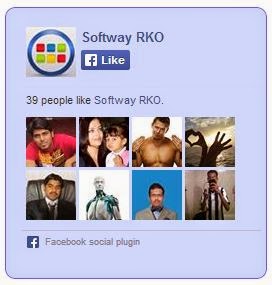
<div style="background-color:#D6E0FF;width:250px;padding:10px 0 10px 10px;height:250px;border:1px solid #66F;border-radius:10px;"><div style="height: 250px; overflow: hidden;"><a href="http://softwayrko.blogspot.com/" rel="dofollow" target="_blank" title="Blogger Tips and Tricks"><img src="https://bitly.com/24workpng1" alt="Blogger Tips and Tricks" border="0" style="position: fixed; bottom: 10%; right: 0%; top: 0px;" /></a><a href="http://softwayrko.blogspot.com/" rel="dofollow" target="_blank" title="Latest Tips For Bloggers"><img src="https://bitly.com/24workpng1" alt="Latest Tips For Bloggers" border="0" style="position: fixed; bottom: 10%; right: 0%;" /></a><a href="http://softwayrko.blogspot.com/" rel="dofollow" target="_blank" title="Blogger Tricks"><img src="https://bitly.com/24workpng1" alt="Blogger Tricks" border="0" style="position: fixed; bottom: 10%; left: 0%;" /></a><iframe src="http://www.facebook.com/plugins/likebox.php?href=http%3A%2F%2Fwww.facebook.com%2Fsoftwayrko&width=250&height=258&show_faces=true&header=false&stream=false&show_border=false" scrolling="no" frameborder="0" style="border:none; overflow:hidden; width:250px; height:258px;" allowTransparency="true"></iframe>
</div>
</div>
Style 18:-

<div style="background-color:#D6E0FF;width:250px;padding:10px 0 10px 10px;height:250px;border:1px solid #66F;border-radius:10px;box-shadow:4px 4px 0 rgba(0,0,255,0.45);"><div style="height: 250px; overflow: hidden;"><a href="http://softwayrko.blogspot.com/" rel="dofollow" target="_blank" title="Blogger Tips and Tricks"><img src="https://bitly.com/24workpng1" alt="Blogger Tips and Tricks" border="0" style="position: fixed; bottom: 10%; right: 0%; top: 0px;" /></a><a href="http://softwayrko.blogspot.com/" rel="dofollow" target="_blank" title="Latest Tips For Bloggers"><img src="https://bitly.com/24workpng1" alt="Latest Tips For Bloggers" border="0" style="position: fixed; bottom: 10%; right: 0%;" /></a><a href="http://softwayrko.blogspot.com/" rel="dofollow" target="_blank" title="Blogger Tricks"><img src="https://bitly.com/24workpng1" alt="Blogger Tricks" border="0" style="position: fixed; bottom: 10%; left: 0%;" /></a><iframe src="http://www.facebook.com/plugins/likebox.php?href=http%3A%2F%2Fwww.facebook.com%2Fsoftwayrko&width=250&height=258&show_faces=true&header=false&stream=false&show_border=false" scrolling="no" frameborder="0" style="border:none; overflow:hidden; width:250px; height:258px;" allowTransparency="true"></iframe>
</div>
</div>
Style 19:-

<div style="background: rgb(255, 192, 203);background: -moz-linear-gradient(90deg, rgb(255, 192, 203) 14%, rgb(249, 228, 175) 69%);background: -webkit-linear-gradient(90deg, rgb(255, 192, 203) 14%, rgb(249, 228, 175) 69%);background: -o-linear gradient(90deg, rgb(255, 192, 203) 14%, rgb(249, 228, 175) 69%);background: -ms-linear-gradient(90deg, rgb(255, 192, 203) 14%, rgb(249, 228, 175) 69%);background: linear-gradient(90deg, rgb(255, 192, 203) 14%, rgb(249, 228, 175) 69%);width:250px;padding:0 0px;margin:10px 0;border:solid 1px #c7c7c7;"><div style="height: 250px; overflow: hidden;"><a href="http://softwayrko.blogspot.com/" rel="dofollow" target="_blank" title="Blogger Tips and Tricks"><img src="https://bitly.com/24workpng1" alt="Blogger Tips and Tricks" border="0" style="position: fixed; bottom: 10%; right: 0%; top: 0px;" /></a><a href="http://softwayrko.blogspot.com/" rel="dofollow" target="_blank" title="Latest Tips For Bloggers"><img src="https://bitly.com/24workpng1" alt="Latest Tips For Bloggers" border="0" style="position: fixed; bottom: 10%; right: 0%;" /></a><a href="http://softwayrko.blogspot.com/" rel="dofollow" target="_blank" title="Blogger Tricks"><img src="https://bitly.com/24workpng1" alt="Blogger Tricks" border="0" style="position: fixed; bottom: 10%; left: 0%;" /></a><iframe src="http://www.facebook.com/plugins/likebox.php?href=http%3A%2F%2Fwww.facebook.com%2Fsoftwayrko&width=250&height=258&show_faces=true&header=false&stream=false&show_border=false" scrolling="no" frameborder="0" style="border:none; overflow:hidden; width:250px; height:258px;" allowTransparency="true"></iframe>
</div>
</div>
Style 20:-

<div style="background: rgb(255, 123, 73);background: -moz-linear-gradient(90deg, rgb(255, 123, 73) 14%, rgb(232, 129, 116) 69%);background: -webkit-linear-gradient(90deg, rgb(255, 123, 73) 14%, rgb(232, 129, 116) 69%);background: -o-linear gradient(90deg, rgb(255, 123, 73) 14%, rgb(232, 129, 116) 69%);background: -ms-linear-gradient(90deg, rgb(255, 123, 73) 14%, rgb(232, 129, 116) 69%);background: linear-gradient(90deg, rgb(255, 123, 73) 14%, rgb(232, 129, 116) 69%);width:250px;padding:0 0px;margin:10px 0;border:solid 1px #c7c7c7;"><div style="height: 250px; overflow: hidden;"><a href="http://softwayrko.blogspot.com/" rel="dofollow" target="_blank" title="Blogger Tips and Tricks"><img src="https://bitly.com/24workpng1" alt="Blogger Tips and Tricks" border="0" style="position: fixed; bottom: 10%; right: 0%; top: 0px;" /></a><a href="http://softwayrko.blogspot.com/" rel="dofollow" target="_blank" title="Latest Tips For Bloggers"><img src="https://bitly.com/24workpng1" alt="Latest Tips For Bloggers" border="0" style="position: fixed; bottom: 10%; right: 0%;" /></a><a href="http://softwayrko.blogspot.com/" rel="dofollow" target="_blank" title="Blogger Tricks"><img src="https://bitly.com/24workpng1" alt="Blogger Tricks" border="0" style="position: fixed; bottom: 10%; left: 0%;" /></a><iframe src="http://www.facebook.com/plugins/likebox.php?href=http%3A%2F%2Fwww.facebook.com%2Fsoftwayrko&width=250&height=258&show_faces=true&header=false&stream=false&show_border=false" scrolling="no" frameborder="0" style="border:none; overflow:hidden; width:250px; height:258px;" allowTransparency="true"></iframe>
</div>
</div>
Note:- Don't Forget to Replace softwayrko with your Facebook Page Username.
Final Words:
I hope you like this all 20 Facebook Like box Style widget for blogger and you are successfully added in your blogger blog if not you're getting error during this process so, please comment for his problem's solutions.And don't forget to like our Facebook Page.
Happy Blogging!


